
I have spent some time exploring wikis. What an amazing way to share information in a timely manner. In our fast paced world where the volume of information available is increasing exponentially, this is an excellent way to keep everyone up to date.
I found the wiki, wiki, wiki site listed under resources on the assignment helpful. I haven't looked at the video listed in the assignment yet because I can't use the speakers during school hours and I've forgotten to listen at home.
I understand why teachers limit use of a wiki for research because the information might not be reliable in all cases. Just like you wouldn't use a tabloid as an accurate source of information.
My favorite wiki is the sister project "wikiquote" (found toward the bottom of the wikipedia home page). There is a category under wikiquote for proverbs. You can look at different proverbs from all around the world. Some of them are very interesting.
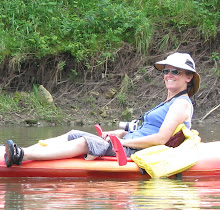
I've thought about starting a wiki for kayaking in Southern Minnesota where people could share favorite rivers and information about water levels, put in places, what to expect, etc . . . Doubt I'll ever do anything about it, but it would be fun to share information about that.
I have not tried to update or change a wiki. Too scary. Also, I didn't feel like I had anything to share on any of the sites I looked at. Maybe I'll get the courage one of these days.
Friday, February 6, 2009


Friday, December 12, 2008
Thing 2
I deleted the news RSS feeds. There were hundreds of headlines filling up my Google Reader. Ugh. I tried to add my favorite comics, there was an RSS icon, but so far I have not had any success getting it to work. Several tries kept giving me an error message. I will keep trying.
Now I'm on to learning about wikis.
Lauren
Now I'm on to learning about wikis.
Lauren
Thursday, December 11, 2008
Thing 2
I successfully got an RSS feeder started through Google.
I had some trouble figuring out how to add a feed to my Google Reader. Under the Extra Information at the bottom of assignment 2, the Feed Me article is very helpful for figuring out how to do that. I wish I had read that sooner. I have managed to add some news feeds to my reader, but it has added so many headlines that I think I will delete most of them. If I want news I'll go to a news website. I'll add blogs instead. I did get all of the blogs of my fellow wectechtime students added after Kris showed me how to find the URL's. They are in the address box at the top of the computer screen when you go to the blog. Duh. I was looking for the address somewhere on the page itself. I'm learning. Yay.
I had some trouble figuring out how to add a feed to my Google Reader. Under the Extra Information at the bottom of assignment 2, the Feed Me article is very helpful for figuring out how to do that. I wish I had read that sooner. I have managed to add some news feeds to my reader, but it has added so many headlines that I think I will delete most of them. If I want news I'll go to a news website. I'll add blogs instead. I did get all of the blogs of my fellow wectechtime students added after Kris showed me how to find the URL's. They are in the address box at the top of the computer screen when you go to the blog. Duh. I was looking for the address somewhere on the page itself. I'm learning. Yay.
Thursday, November 20, 2008
New Blog
I was able to get a blog set up from my home computer. I had trouble at school because it said I had to enable javascript and cookies.
It was fun setting things up, yet at the same time hard to decide how much and what to add to my profile. I finally decided that I can just add stuff later as it suits my fancy.
It took me awhile to discover that I can click on the icon (orange B) in the upper left corner by my blog title to return to the screen I can work from.
I wasted a lot of time making an avatar, but it was fun. I couldn't find exactly what I wanted, a kayak or canoe, but the river background will do. When adding the avatar to my blog, under Layout, I had to click on "add a gadget", not "add a page element", then scroll way down to find HTML code.
It was fun setting things up, yet at the same time hard to decide how much and what to add to my profile. I finally decided that I can just add stuff later as it suits my fancy.
It took me awhile to discover that I can click on the icon (orange B) in the upper left corner by my blog title to return to the screen I can work from.
I wasted a lot of time making an avatar, but it was fun. I couldn't find exactly what I wanted, a kayak or canoe, but the river background will do. When adding the avatar to my blog, under Layout, I had to click on "add a gadget", not "add a page element", then scroll way down to find HTML code.
Subscribe to:
Posts (Atom)